Lost? Hopefully not anymore!
🚀 Recent Platform Updates & Enhancements
We’ve been hard at work over the past few months, connecting with the #GaragedCommunity and gathering feedback on how you’re using the platform. Based on that input, we’ve rolled out several major updates across both the website and mobile app (with even more improvements on the way!).
Here’s a look at what’s new 👇
📰 Main Feed & User Profiles
Let’s start with the Main Feed:
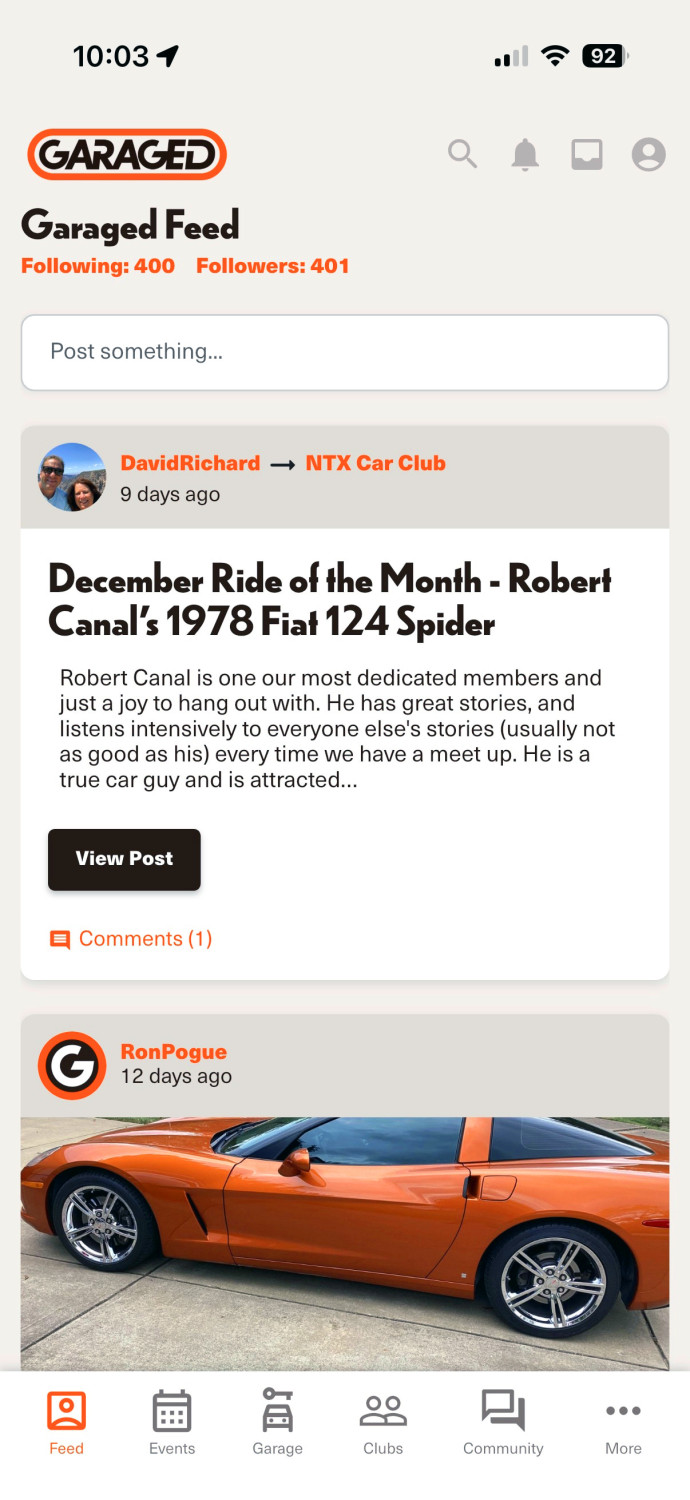
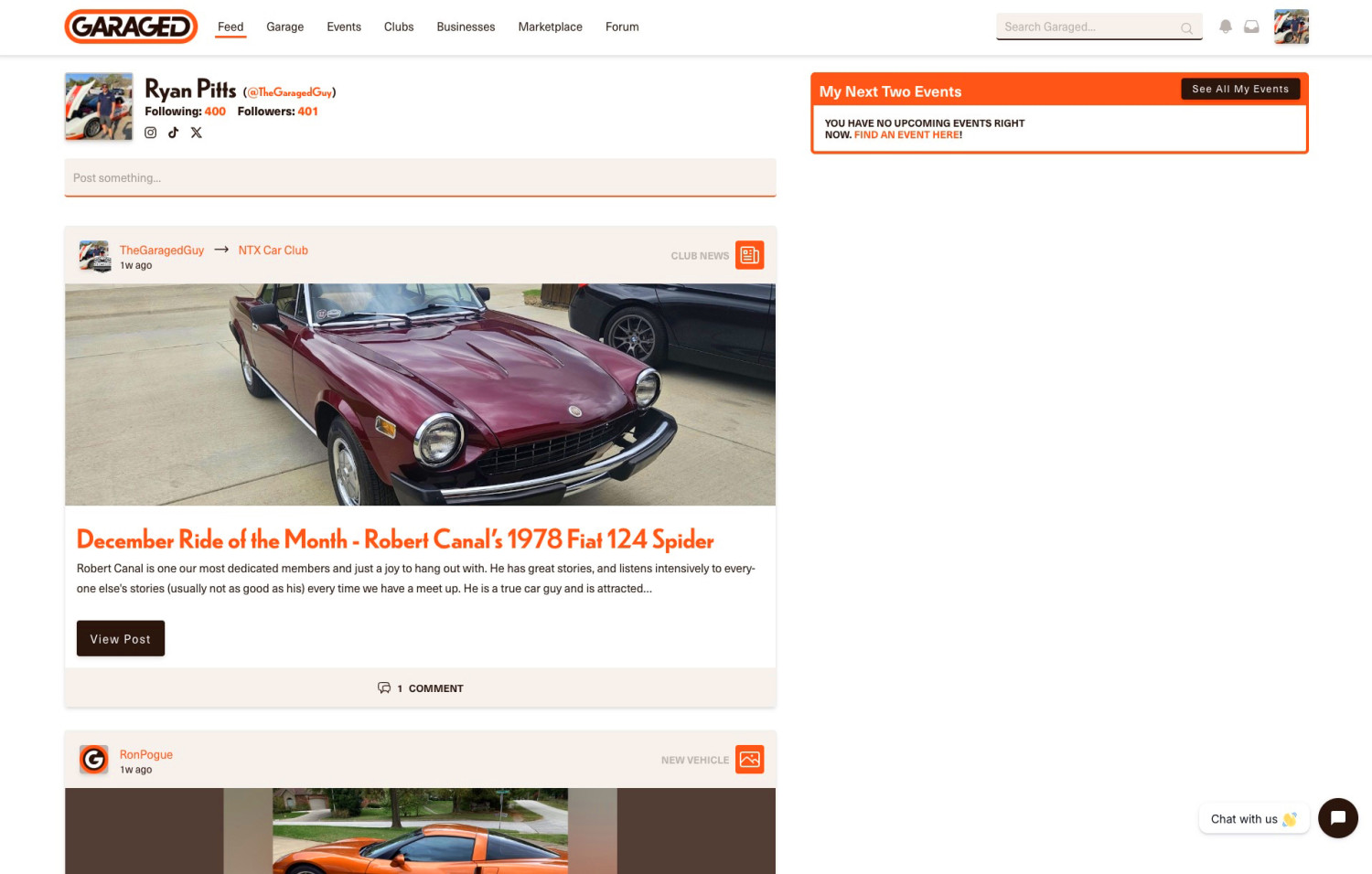
When you log into the mobile app or visit app.garaged.io, the first thing you’ll see is your main feed - the heart of the Garaged community.
We’ve made updates to improve the overall usability of the feed and added a more prominent “Post something…” box at the top. This makes it easier to quickly share updates, photos, or thoughts with your followers. Anything you post here will show up directly in the feeds of people who follow you.
You can also tap or click on another community member’s username to visit their profile page, where you’ll see all of their posts in one place. And when you’re viewing someone else’s profile, you can now post directly on their feed as well - making it easier to interact and stay connected.
🚗 Vehicle Pages (Website Updates)
We’ve also completely redesigned the Vehicle Overview pages on the website.
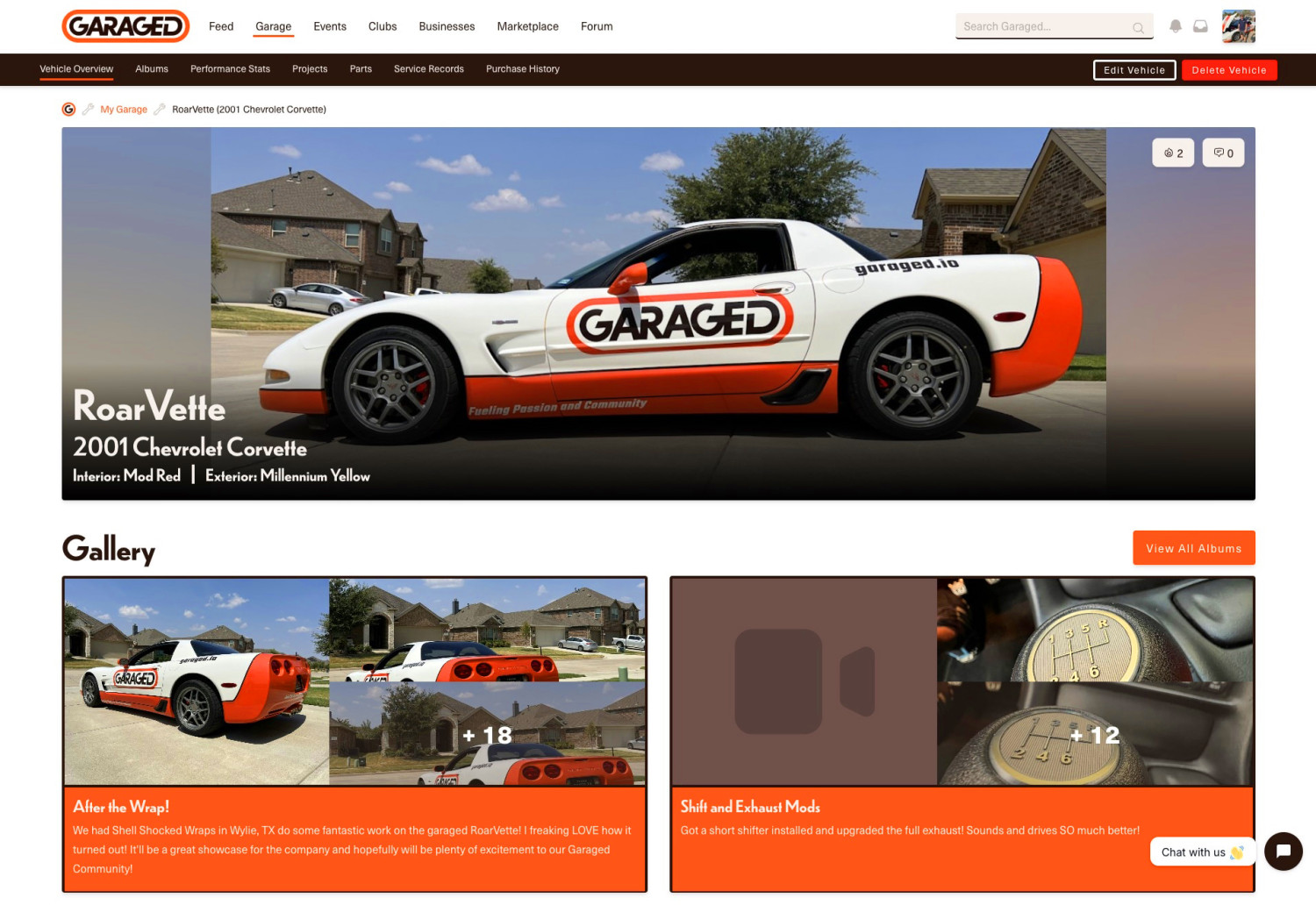
When viewing a vehicle in your own garage - or checking out a vehicle from another community member - you’ll immediately notice a much more visual, car-show-ready presentation. Our goal was to put the focus squarely on the vehicle itself.
You’ll now see:
- A large main vehicle image front and center
- A preview of the vehicle’s photo albums (if available)
- Like and comment icons in the top-right corner of the main image, making it easier to engage with each vehicle
Just below the main site navigation, you’ll also notice a new darker sub-navigation bar with quick links to other sections related specifically to that vehicle. This makes it easier to explore everything tied to a single build or project without hunting around the page.
🏁 Clubs Are Getting Our Biggest Upgrade Yet
Clubs received the largest set of improvements in this round of updates.
We heard your feedback loud and clear: once you were inside a club, the navigation wasn’t as intuitive or easy to find as it should be. So we completely overhauled how club navigation works.
On the website:
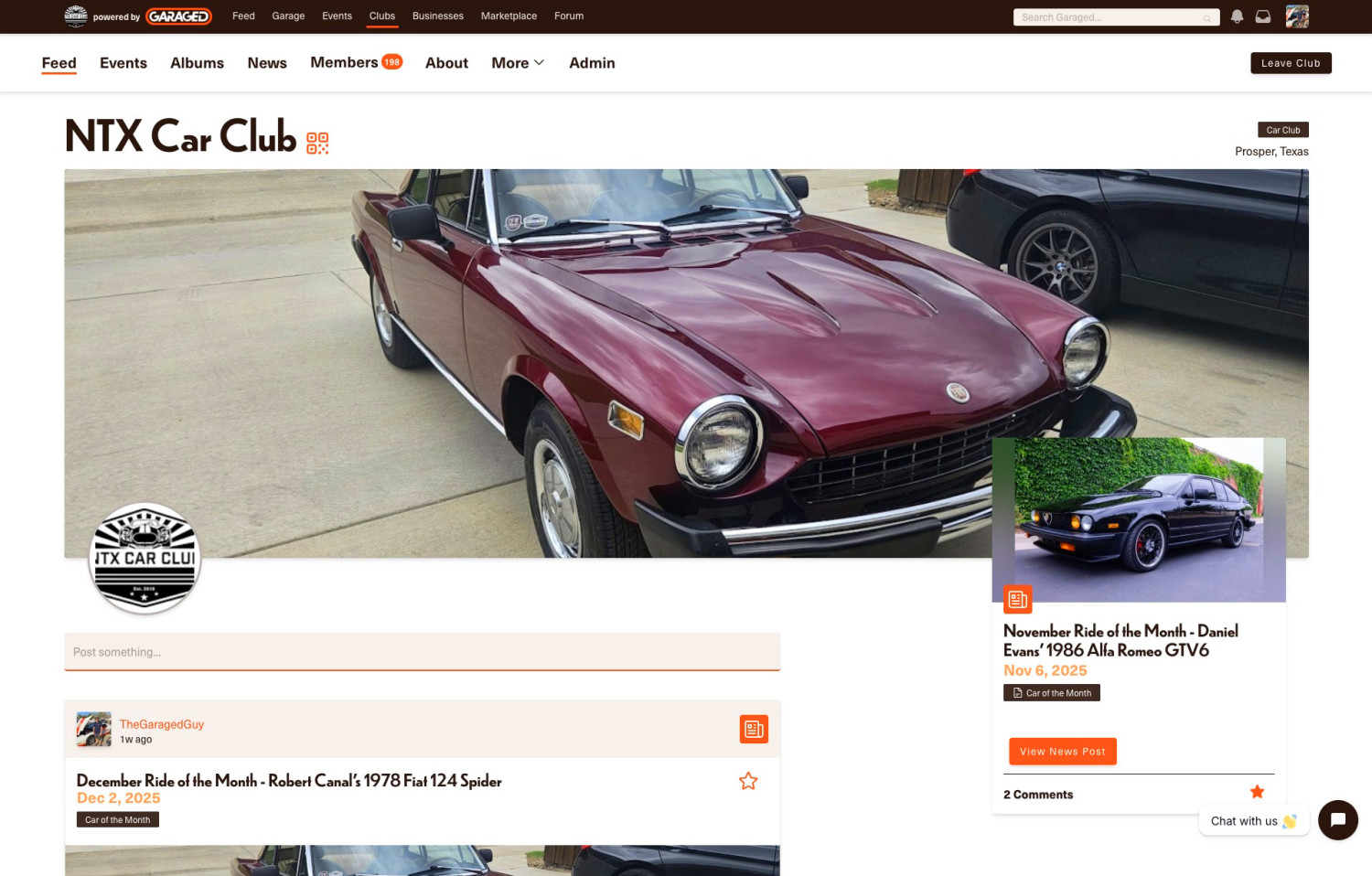
When you visit a club page, the main Garaged navigation now collapses into a darker bar at the top, while your club-specific navigation links appear prominently just below it. The links you actually need when interacting with your club are now front and center.
In the mobile app:
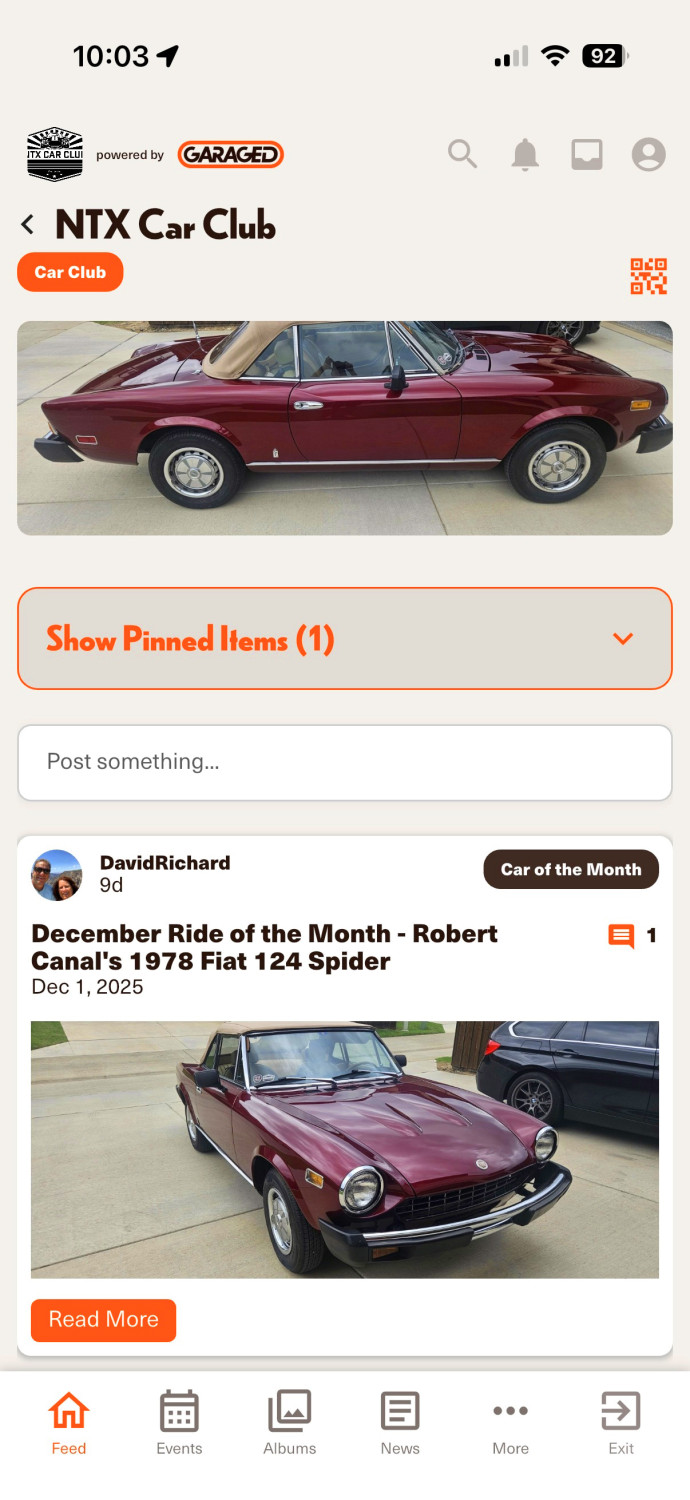
When you enter a club, the bottom navigation automatically switches to reflect the club context. You’ll also see an “Exit” button that lets you quickly return to your main Garage feed when you’re done.
Our original vision for clubs was to make each one feel like its own mini website - and websites typically have clear navigation at the top. Previously, members would click “Events” and end up on the main Garaged events page instead of their club’s events, which caused confusion. Now, when you’re inside a club, everything you see and click is scoped specifically to that club.
Club Feed Posting
In addition, we also added the ability for any club member to post directly to the club’s feed. Just tap (mobile) or click (web) on the “Post something…” box within the club section to create a new post.
Our hope is that this makes it easier to share updates, spark conversations, and build stronger engagement within each club.
🔧 More Coming Soon
These updates are just the beginning. We’re continuing to iterate, improve performance, and roll out new features based on your feedback.
As always, thank you for being part of the #GaragedCommunity - and keep the suggestions coming 🙌


